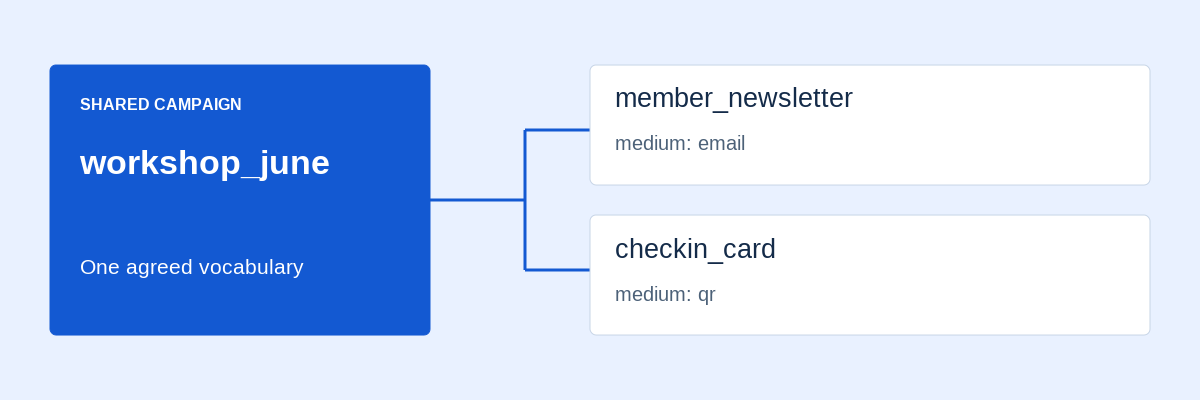
Campaign naming
A UTM naming system your whole team can actually use
Choose a small, repeatable naming vocabulary before a campaign starts, so email, partner, and QR links tell the same story.
The campaign link workbench
Build UTM links, inspect URLs, and make QR handoffs.
No account. No file uploads.
Just the next step in your campaign.
Step 1 · Build
Start with your destination and three campaign labels. Keep your naming consistent across placements.
Scope & limits. Text input up to 200,000 characters. Only the documented URL, source, medium, campaign, term, and content fields are supported. This builds a URL; it does not verify tracking or destination availability.
Copy each value into its matching field, leave term and content empty, then run the builder. This example uses a reserved example domain; replace it with your real landing page before sharing.
https://example.com/workshopcheckin_cardqrworkshop_juneExpected check: the result includes utm_source=checkin_card, utm_medium=qr, and utm_campaign=workshop_june.
Step 2 · Check
Inspect the structure and query parameters. Compare the output with your campaign naming sheet before sharing.
Scope & limits. Text input up to 200,000 characters. Only the documented URL structure and parameters are supported. This does not check redirects, destination safety, or live HTTP status.
Paste this URL into the input and run the parser. Look for the example.com hostname, /workshop pathname, and three UTM query values.
https://example.com/workshop?utm_source=checkin_card&utm_medium=qr&utm_campaign=workshop_juneStep 3 · Hand off
Generate a PNG QR code from your checked link. Test the exported image and the final printed piece before distribution.
Scope & limits. Generates PNG with a quiet zone and medium error correction. Maximum 2,000 input characters; QR capacity can be lower and over-capacity input returns an error. QR output contains the supplied text; no hosted link or destination safety check. Browser image limit: 10 MiB and 16 million decoded pixels; memory use depends on your browser.
Paste this text into the tool, choose 512 pixels, then generate and download the PNG. This encodes an example URL and does not create a hosted destination.
https://example.com/workshop?utm_source=checkin_card&utm_medium=qr&utm_campaign=workshop_juneRead the PNG back in QR Decoder. The decoded text should match the input exactly.
Final check · Read back
Choose a QR image from your device and read the encoded text. A decoded URL stays text until you choose to use it.
Scope & limits. Decode a selected image, not live camera scanning; difficult images may not decode. Only recognized text is returned; links are not opened automatically. Image limit: 10 MiB and 16 million decoded pixels. Memory use depends on the browser.
First use the example in QR Generator and download its PNG. Choose that saved image here and run the decoder.
https://example.com/workshop?utm_source=checkin_card&utm_medium=qr&utm_campaign=workshop_juneIf no QR is found, try the original PNG without cropping or editing. A plain image without a QR is a useful negative test. Nothing should open automatically.
Add campaign parameters to a destination URL.
Open toolCheck · Link detailsURL ParserRead the structure and parameters of a URL.
Open toolHand off · Scannable outputQR GeneratorTurn a checked link into a downloadable QR PNG.
Open toolVerify · Read it backQR DecoderRead the text in a QR image on your device.
Open toolA useful handoff has context
Send the final URL, its placement name, and the QR PNG together. Your teammate should know exactly where each version belongs.
Before print: confirm the destination, decode the PNG, and scan a proof at its final size.
Field notes for real campaigns
Choose a small, repeatable naming vocabulary before a campaign starts, so email, partner, and QR links tell the same story.
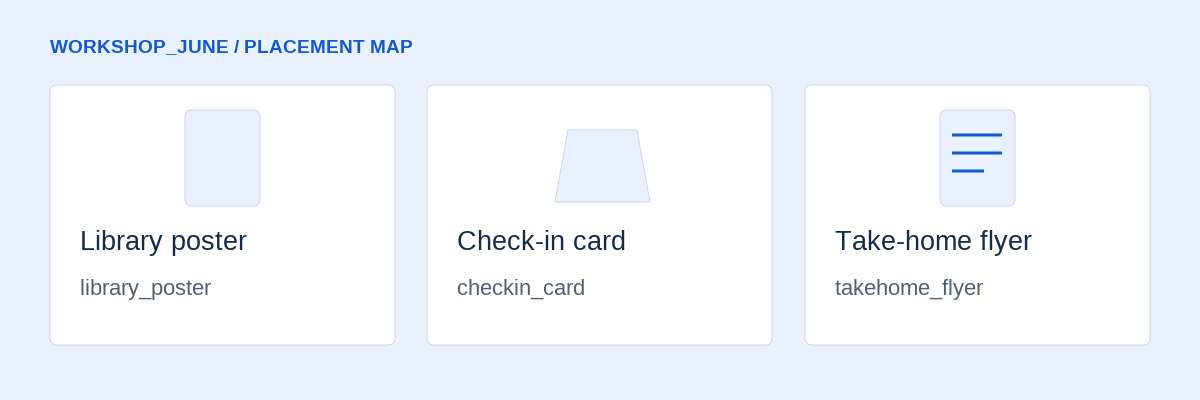
Give posters, table cards, and handouts their own placement labels while keeping one campaign name from draft to print.
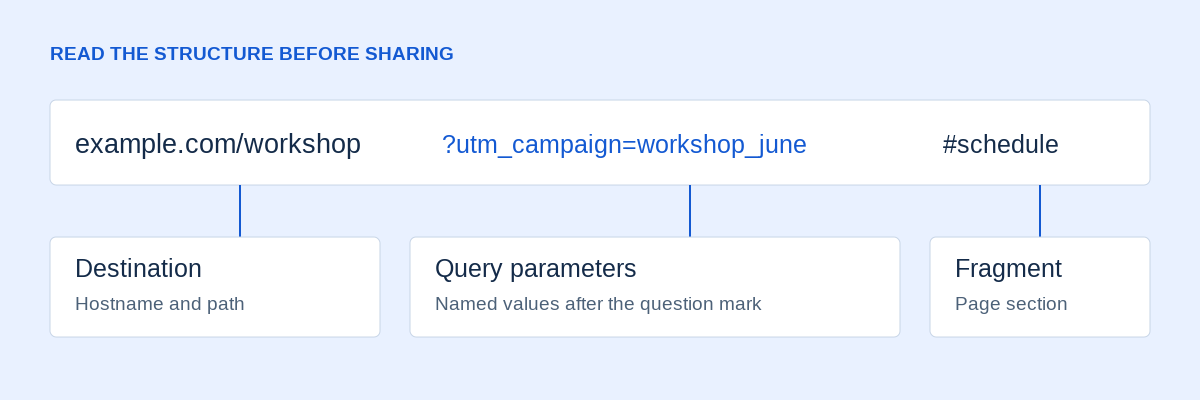
Separate the path, query, and fragment, then look for missing, duplicated, or incorrectly encoded campaign values before launch.
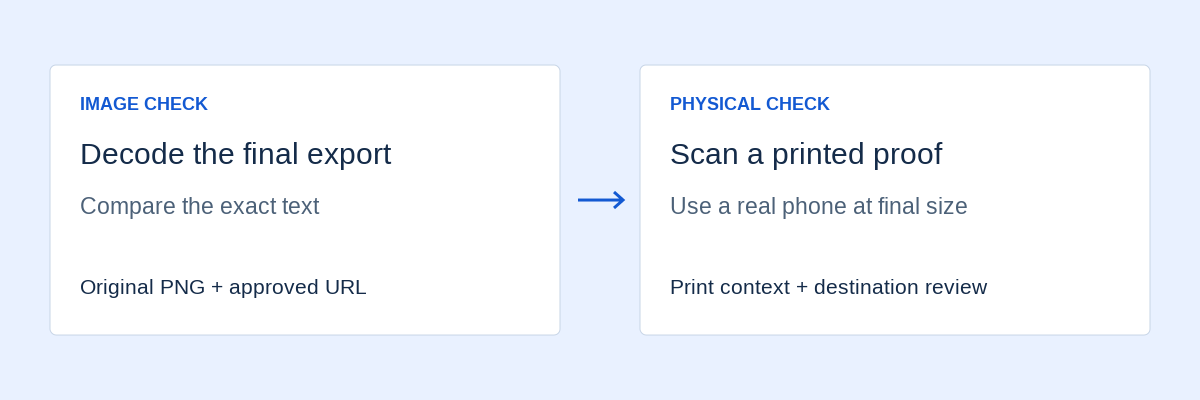
Check the exported image, compare its exact text, and scan a physical proof so a last-minute artwork revision does not change the destination unnoticed.
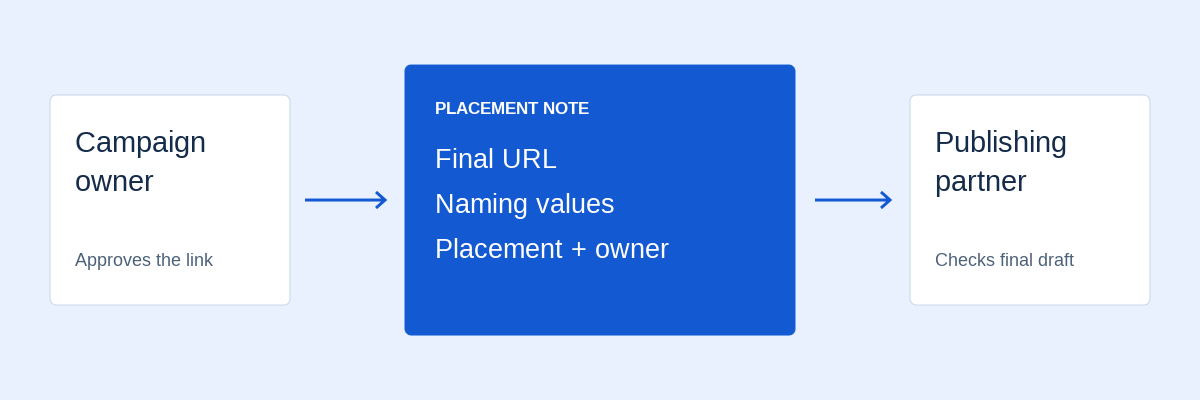
Build a small placement note that keeps the approved destination, UTM vocabulary, and final link together when another team does the publishing.